
Flying Car AI: Make Your Car Fly

Upload one car photo and get a flying car video — a ramp launch, a mid-air flip, a smoky landing. No prompt writing, no editing skills.

100 0/2

Stunt templates

One photo. Pick how it flies.

Every Flying Car AI template ships with a directed prompt — your photo supplies the car, the studio choreographs the stunt.

01

Ramp launch

Your car climbs a curved ramp and launches into open air — the classic flying car shot.

02

Mid-air flip

A controlled roll above the landing pad, vapor trailing off the wheels, settled on the far side.

03

Night hover

Neon runway, gas-jet lift, and a slow glide over a parked lineup — the viral look, in one take.

See the Flying Car AI stunt

Not just cars — everything flies

Watch cars, bicycles, carriages and skateboarders climb the ramp, flip through the air and land in smoke.

About 14 seconds · Landscape

Car stunt

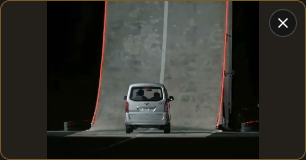
A road car climbs the curved ramp, launches off the lip and lands in a cloud of smoke.

About 15 seconds · Landscape

Cycling stunt

A bicycle takes the same ramp — full send over the lip, airborne roll, clean landing.

About 14 seconds · Landscape

Carriage stunt

Even a carriage clears the ramp — wheels, tumble and a spreading vapor plume.

About 14 seconds · Landscape

Skateboard stunt

A skateboarder launches off the ramp, rolls once and rides out of the smoke.

How it works

How to make a Flying Car AI video

Start with one photo. Choose the quality. Download your finished stunt.
Upload your photo in the Flying Car AI workspace01

Upload your photo

Choose a clear photo of your car with the whole body and wheels in frame. A bicycle, carriage or other subject works too. JPG, PNG, WebP · Up to 10 MB.
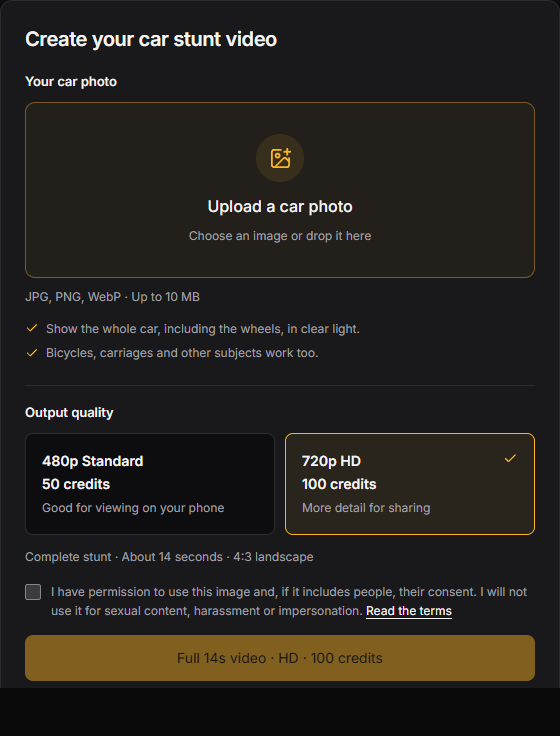
Choose quality and generate in the Flying Car AI workspace02

Choose quality and generate

Select 480p Standard or 720p HD, confirm you can use the image, then generate the complete stunt. About 14 seconds · Landscape · Silent.
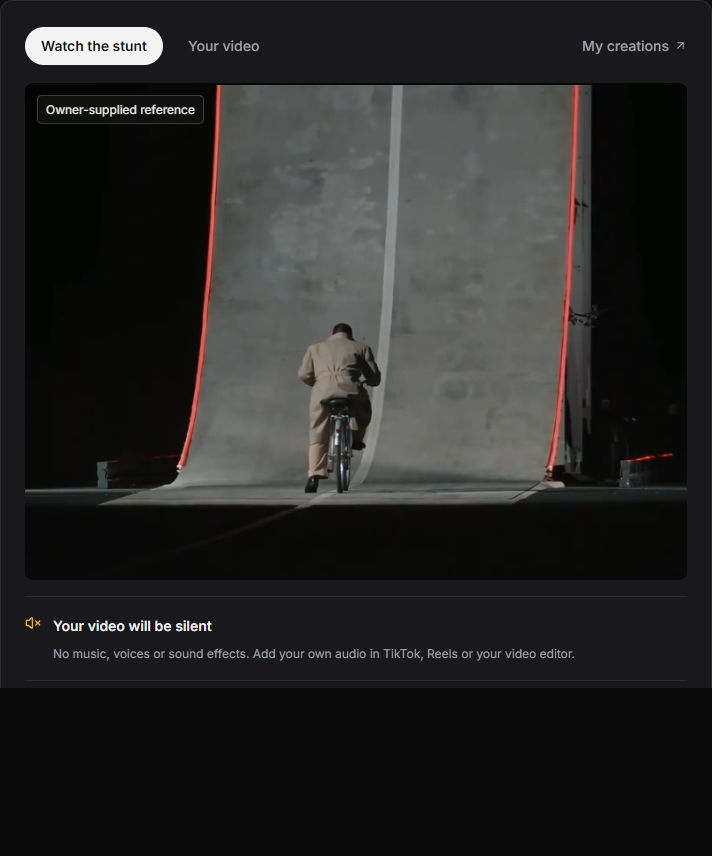
Download and share your flying car video03

Download and share

Watch your finished video here or in My creations, then download it. Add music in TikTok, Reels or your editor before posting.

Introducing Flying Car AI

A photo-to-flight video pipeline

Flying Car AI is an AI video generator tuned for one job: turning a picture of a car into a clip of it flying. Upload the photo, pick a stunt template, and the studio handles motion, camera, and timing.

Flying Car AI video generation studio preview
01

Photo-first workflow

One clear photo of the whole car is enough — wheels, body lines, and paint carry into the generated clip.

02

Directed stunt templates

Ramp jumps, mid-air flips, and hover cruises come pre-directed — no prompt engineering needed.

03

Image-to-video engine

Your photo anchors the first frame, so the flying car keeps its shape, color, and wheels through the stunt.

04

Cinematic timing

Clips run up to 15 seconds in landscape, vertical, or square — sized for TikTok, Reels, and Shorts.

05

Share-ready MP4

Download a clean video file and add your own soundtrack where you post it.

06

Free to start

Starter credits cover your first stunt — upgrade only when you need more flights.

Flying Car AI Pricing

Match your plan to how often you create: recurring credits for a regular flight schedule, or a one-time pack for a single stunt project.

Cancela cuando quieras

Para cualquier duda sobre pagos o planes, contacta con soporte: Contactar con soporte

Pago seguro con las principales redes de pago

  • Mastercard
  • Visa
  • American Express
  • Apple Pay
  • UnionPay
  • Google Pay
  • JCB
  • Discover
  • Click to Pay

Los métodos disponibles se muestran en el checkout y pueden variar según el proveedor de pago, el dispositivo, la moneda y la región.

Review billing, shared credits, cancellation, and validity before choosing a Flying Car AI plan.

Understand the plan before you pay

How photo-to-flight works, what it costs, and what to check before you share.

01What is the difference between a subscription and a credit pack?
Subscriptions are designed for ongoing creation and include a recurring credit allowance. Credit packs are one-time purchases with no recurring charge, making them a flexible choice for occasional projects.
02How does annual billing work?
Annual plans show their equivalent monthly price for easier comparison, while the full annual amount is charged once per year. Your yearly credit allowance is available for the annual plan period.
03How do credits work across available models?
Credits are shared across the models currently enabled in the workspace. Cost varies by model and generation settings, including clip duration and reference inputs; review the exact credit charge before submitting a task.
04Can I cancel my subscription at any time?
Yes. You can cancel a subscription at any time from your billing settings. Canceling stops future renewals; your current plan remains available until the end of its paid billing period.
05How long are one-time credit pack credits valid?
Credits purchased through a one-time credit pack are valid for 365 days from the purchase date.
06Can I use generated content for commercial projects?
Yes. Paid plans and credit packs support personal and commercial projects, subject to the applicable terms of service and your rights to any uploaded source material.
07How many generations can run at once?
Free accounts can run 1 batch at a time. Valid credit packs and Starter allow 2, Pro allows 4, and Premium allows 8. Waiting and generating batches both count, across image and video models.

Biblioteca de plantillas

Acrobacias de rampa, kickflips y clips virales

Previsualiza una referencia y luego genera el truco con la foto de tu coche.

Ver las 9 plantillas
14s · 4:3Ramp

The Complete Ramp Stunt

6s · 16:9Kickflip

The Kickflip · Side View

8s · 16:9Kickflip

The Kickflip · Head-On View

8s · 16:9Kickflip

The Kickflip · Trackside Replay

14s · 4:3Ramp

The Ramp · Full Side View

8s · 4:3Ramp

The Ramp · Thruster Close View

12s · 4:3Ramp

The Ramp · Overhead Replay

15s · 16:9Track Mode

Roadster · Track Mode Transformation

7s · 1:1Viral

Roadster Kickflip · Viral Square Edit

Before your first flight

Flying Car AI FAQ

How photo-to-flight works, what it costs, and what to check before you share.

01What does Flying Car AI do?
It turns a photo of a car into a short flying car video. Pick a stunt template — ramp launch, mid-air flip, or hover cruise — upload the photo, and the image-to-video engine renders the stunt with your car as the subject.
02How many photos do I need?
One. A sharp, well-lit shot with the whole vehicle in frame works best — side or three-quarter view, wheels visible. JPG, PNG, or WebP uploads are supported.
03Do I need to write a prompt?
No. Every template carries a pre-directed prompt for the stunt and camera move. You can edit it before generating if you want a custom move.
04Can I use something other than a car?
Yes — bicycles, motorcycles, trucks, and even skateboards can fly. Keep the whole subject in frame and only use photos you own or have permission to use.
05How long is a flying car video?
Clips run a few seconds up to about 15 depending on the engine and settings — sized for social posts and short edits.
06Does the video have sound?
Engines with an audio toggle can generate ambience and effects with the picture; otherwise the clip is silent — add music where you share it.
07Is Flying Car AI free?
New accounts get free starter credits — enough to try a stunt. Paid plans and one-time credit packs cover more renders and commercial use.
08Will the result look exactly like my photo?
Your photo anchors the subject, but AI output varies. Check the body lines, wheels, and landing before sharing — and label the clip as AI-generated where it matters.
09What if a generation fails?
Confirmed failures return their credits automatically. Track progress in your history — avoid submitting the same run twice while it processes.
10How do I start?
Open Create, drop in a car photo, pick a stunt template, and generate. You can set everything up before signing in — sign in to run the render.

Make your car fly

One photo. One impossible takeoff.

Upload a car photo and get a flying car video you can post tonight.